
Football Manager Touch 2016: Play Anywhere, Anytime
Overview
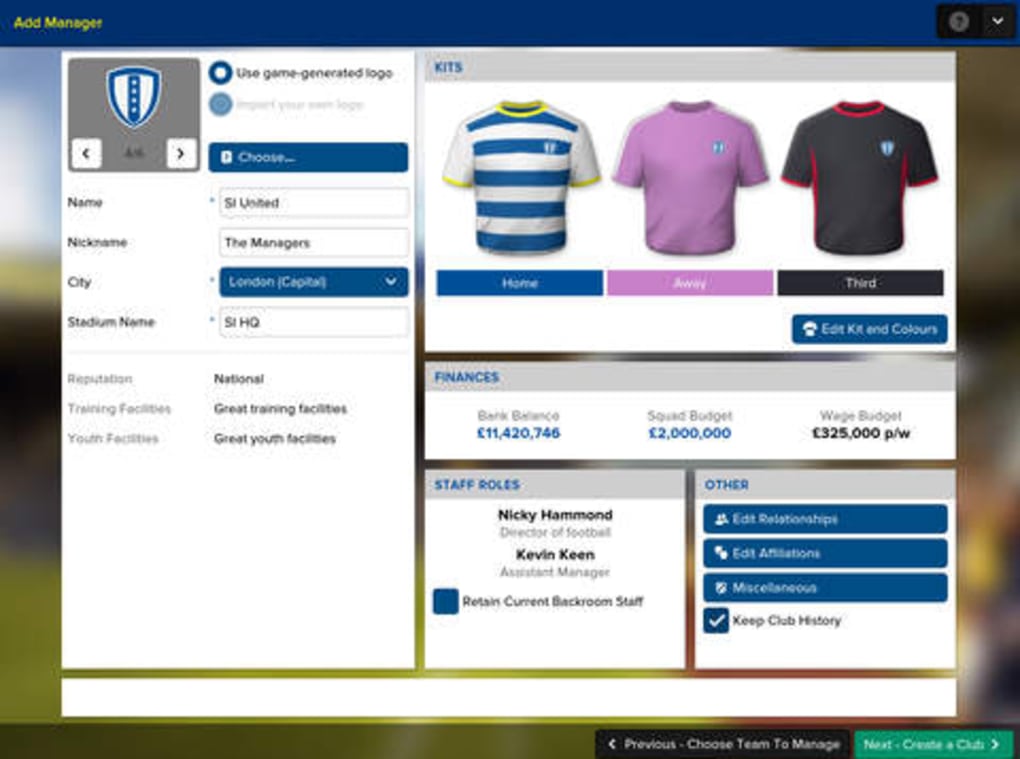
Football Manager Touch 2016 delivers a streamlined yet comprehensive football management experience designed for on-the-go play. Built by Sports Interactive, the developer behind the acclaimed PC and Mac versions of Football Manager, this desktop application adapts the full depth of the franchise for touch-enabled devices. The software enables users to manage teams, develop players, and shape club strategies across three core modes: Career, Challenge, and Create a Club.
Each mode offers a distinct gameplay experience, from long-term club development to solving urgent in-game crises such as relegation battles or financial instability. The game is ideal for fans of sports management who want to stay engaged with their clubs regardless of location. Real-world use cases include managing a team during commutes, breaks, or while traveling, offering continuity between mobile and desktop play.
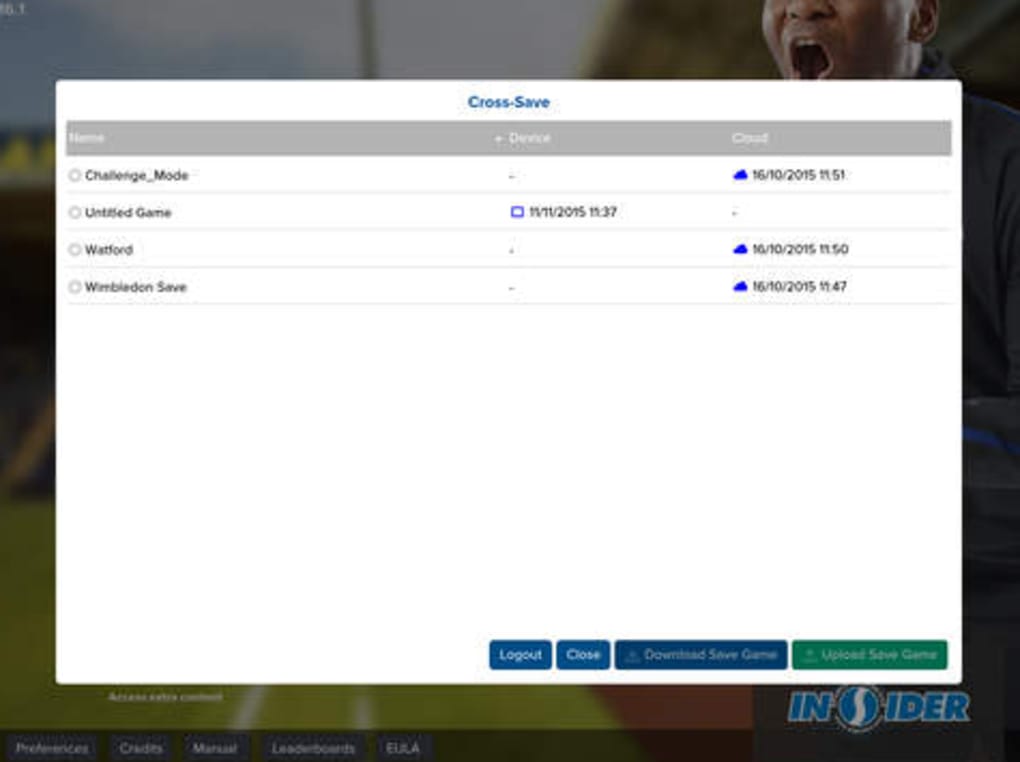
The integration with Steam allows seamless progress syncing, enabling users to switch between devices without losing data. While the interface is menu-driven and lacks graphical polish, the software focuses on data-rich gameplay and strategic depth, aligning with the core strengths of the Football Manager series.
Key Features & Capabilities
- Full Game Modes: Access to Career, Challenge, and Create a Club modes ensures a diverse and replayable experience. Career mode supports long-term club development, while Challenge mode introduces specific constraints to test strategic adaptability.
- Cross-Platform Play: Sync progress between mobile and desktop via Steam, allowing users to start a session on one device and continue on another without interruption.
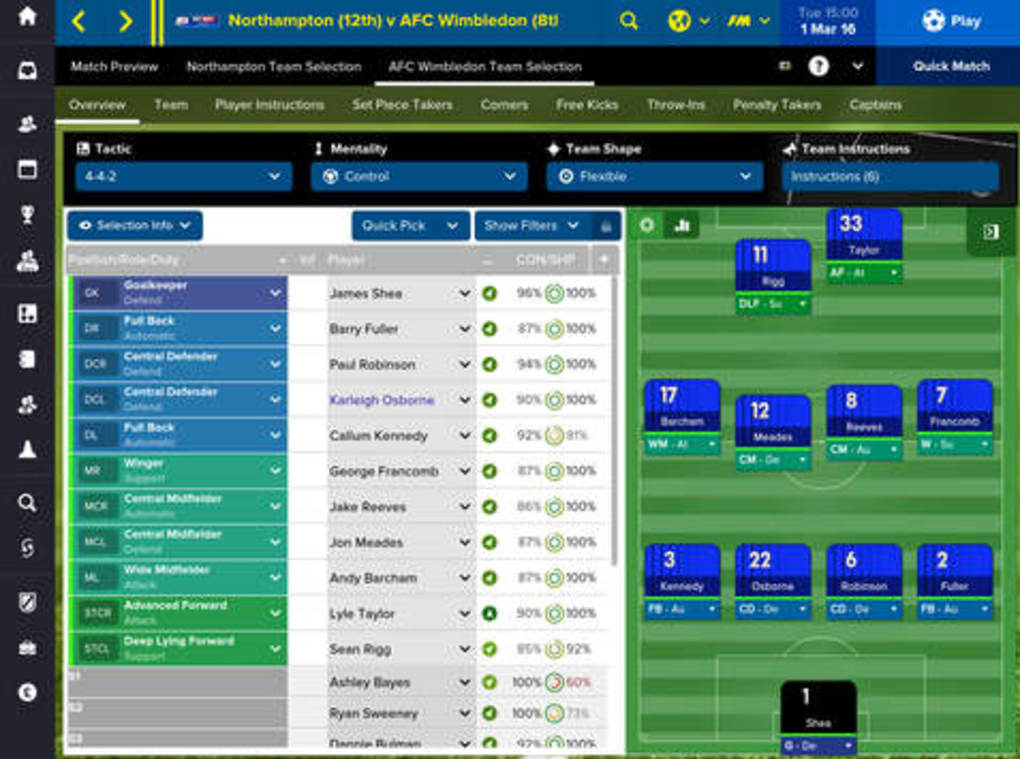
- Match Control & Tactics: Customize team instructions and individual player roles during matches. A new play-planning feature in FM 2016 enables users to design specific in-game strategies.
- Player & Coach Customization: The Create a Coach tool gives users granular control over player attributes and development paths, enhancing personalization.
- Match Analysis Tools: Post-match reports provide detailed insights into team and player performance, helping refine future strategies.
- Automated Support Systems: Scouts, coaches, and technicians assist new players with complex tasks, reducing the learning curve for newcomers.
These features cater to both seasoned managers and beginners. For example, a user can use the Challenge mode to simulate a real-life survival scenario, such as preventing relegation with limited resources. The match analysis tools support tactical refinement, while the cross-platform sync ensures consistent engagement across devices. The software maintains the strategic depth of the PC version, making it a viable alternative for users who need flexibility without sacrificing gameplay integrity.
User Interface, Workflow & Performance
The user interface of Football Manager Touch 2016 is structured around a menu-based navigation system, optimized for touch input. Menus are organized into logical sections—team management, player development, match planning, and financial oversight—allowing for intuitive access to core functions. Navigation is straightforward, with clear icons and labeled tabs, though the lack of visual polish may affect first impressions.
The workflow follows a linear progression: plan, execute, analyze, and adjust. This structure supports efficient decision-making, especially when managing multiple aspects of a club simultaneously. Performance is expected to be stable on devices meeting the recommended specifications, though exact resource usage details were not specified.
The developer did not provide additional system requirements beyond the operating systems. Users can expect consistent responsiveness during gameplay, particularly in non-match scenarios. Stability during long sessions has not been independently verified, but the software’s reliance on Steam integration suggests a focus on reliability.
General performance observations are based on typical behavior of similar desktop applications.
Compatibility & System Requirements
Football Manager Touch 2016 is available for Windows and Mac operating systems. The software has a file size of 2.5 GB, indicating a substantial data footprint due to the inclusion of extensive databases and game assets. While the developer did not specify exact system requirements, users should expect the software to perform best on devices with modern processors and sufficient RAM to handle data-heavy operations.
Compatibility information was partially provided, with no mention of minimum hardware specifications. The game requires a stable internet connection for Steam integration, which enables cross-platform synchronization. No additional dependencies were listed.
The developer did not provide details on GPU requirements or peripheral support. Users should ensure their device meets the standards of a contemporary desktop or laptop to avoid potential performance issues.
Pros and Cons
Pros
- Full access to Career, Challenge, and Create a Club modes
- Seamless cross-platform play via Steam integration
- Comprehensive match control and tactical customization
- Automated tools for beginners to ease the learning curve
- Free to download and use with no cost barrier
Cons
- Limited graphical presentation; interface is menu-heavy
- No detailed system requirements provided by the developer
- Performance may vary on older or less powerful devices
- Requires Steam account for full functionality
- Interface may feel outdated compared to modern mobile apps
FAQ Section
Is Football Manager Touch 2016 compatible with Windows and Mac?
Yes, the software is available for both Windows and Mac operating systems, allowing users on either platform to access the full game experience.
Can I play Football Manager Touch 2016 offline?
While the game requires a Steam account for synchronization, gameplay can be conducted offline after initial setup. However, cross-platform progress updates require an internet connection.
Is the software secure to download and use?
As a product from Sports Interactive and distributed via Steam, the software is considered secure. It is recommended to download only from official sources to avoid risks.
How often does Football Manager Touch 2016 receive updates?
Update frequency is determined by the developer and typically aligns with the broader Football Manager release cycle. No specific update schedule was provided.
What type of license does Football Manager Touch 2016 use?
The software is offered as a free download with no licensing fees. It operates under a standard end-user license agreement provided by Steam.
Final Thoughts + CTA
Football Manager Touch 2016 stands out as a rare example of a mobile-optimized version that retains the full strategic depth of its desktop counterpart. Its ability to sync seamlessly between devices via Steam makes it a powerful tool for fans who want uninterrupted access to their clubs. While the interface lacks modern visual flair, the game’s focus on data, tactics, and long-term management remains intact.
The inclusion of automation tools ensures accessibility for newcomers, while advanced features satisfy experienced players. For fans of football management and those seeking flexibility in gameplay, this software offers a compelling solution. Download Football Manager Touch 2016 now and experience the full depth of the franchise—anywhere, anytime.







